 01
01Photos & video storage
Capture and store every image and video of the property in one place — organized by project and timestamped, so nothing gets lost between the field and the file.
- Batch photo capture
- Video capture
- Auto-saved to the project
SketchEdge captures precise 3D scans, photos, and documents of every property — organized by project, synced to your team, and ready to estimate. Built for restoration pros and contractors.
3D LiDAR scanning requires an iPhone Pro or iPad Pro with LiDAR.
Photos, paperwork, and 3D — captured in one walkthrough, on one device.
01Capture and store every image and video of the property in one place — organized by project and timestamped, so nothing gets lost between the field and the file.
 02
02Scan contracts, work authorizations, and paperwork right on-site. SketchEdge digitizes every page and files it with the project — no scanner, no office trip.
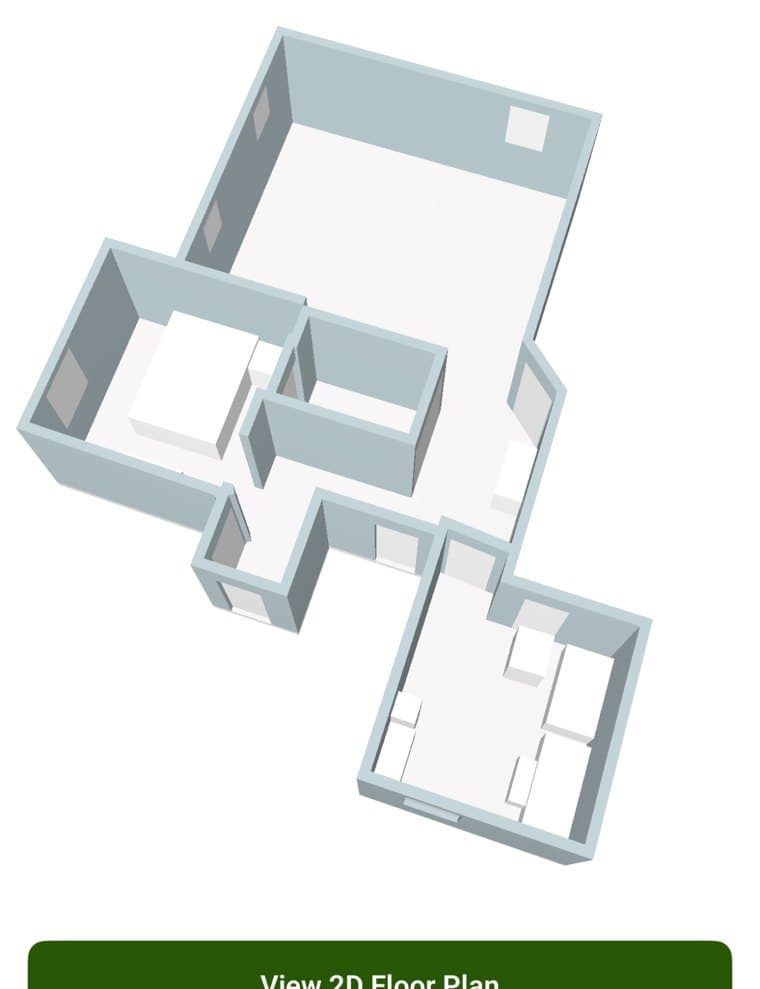
 3D model2D floorplan03
Generate accurate 3D renderings of properties and floorplans with real measurements, captured on the spot — the reference an estimator and a contractor can trust.
3D scanning requires an iPhone Pro or iPad Pro with LiDAR. Every other feature works on any iPhone.
Organize, estimate, and collaborate on every property, online or off.
Policy number, reference number, scope of work, property owner, and address live on every project — your file is audit-ready from the first tap.
Turn a documented project into an estimate request in a tap, with every photo, document, and scan attached as evidence.
Add members to a project and everything syncs to the cloud, so the field crew and the back office never work off stale records.
Capture in basements, attics, and dead zones. SketchEdge saves locally and syncs the moment you are back online.
Add the property owner, address, policy and reference numbers, and scope of work — your project file starts clean.
Scan rooms in 3D, snap photos, and attach documents. Everything is timestamped and saved to the project, even offline.
Request an estimate with all evidence attached, and sync the record to your team and the back office instantly.
From first walkthrough to 3D floorplan. Tap any screen to take a closer look.
Get the app free, then pick the monthly plan that fits your team. Every plan is billed by the App Store — cancel anytime in your Apple account.
Journeyman
Free to download · Billed by the App Store

Foreman
Free to download · Billed by the App Store
General
Free to download · Billed by the App Store
Everything included
Tell us about your team or documentation workflow and we'll get right back to you. Whether you're a one-person shop or a multi-crew operation, we'll help you get set up.
Join the restoration teams and contractors documenting every jobsite with scans, photos, and proof — captured right the first time.
Free to download on iPhone & iPad · Requires iOS 16.4 or later